
Introduction
You’re about to run a focus group study. You’ve written your discussion guide, but you’re not sure if the questions will land. Will respondents understand the concepts? Are you missing an obvious topic? What kinds of reactions should you expect?
AI can help you rehearse before you go live. Whether you use a general-purpose assistant like Claude or ChatGPT, or a specialized research platform with built-in simulation features, the idea is the same: describe the consumer you want to talk to—their age, lifestyle, attitudes, buying habits—and let the AI respond as that person would. Run through your discussion guide, test your stimulus materials, and discover potential issues before you’re in front of real respondents.
Think of it as a dress rehearsal for qualitative research. You can explore what reactions to expect, identify gaps in your questioning, and sharpen your concepts—all before the real fieldwork begins. The goal isn’t to replace human insight. It’s to walk into your focus groups better prepared, with smarter questions and fewer surprises.
What Is AI Focus Group Simulation?
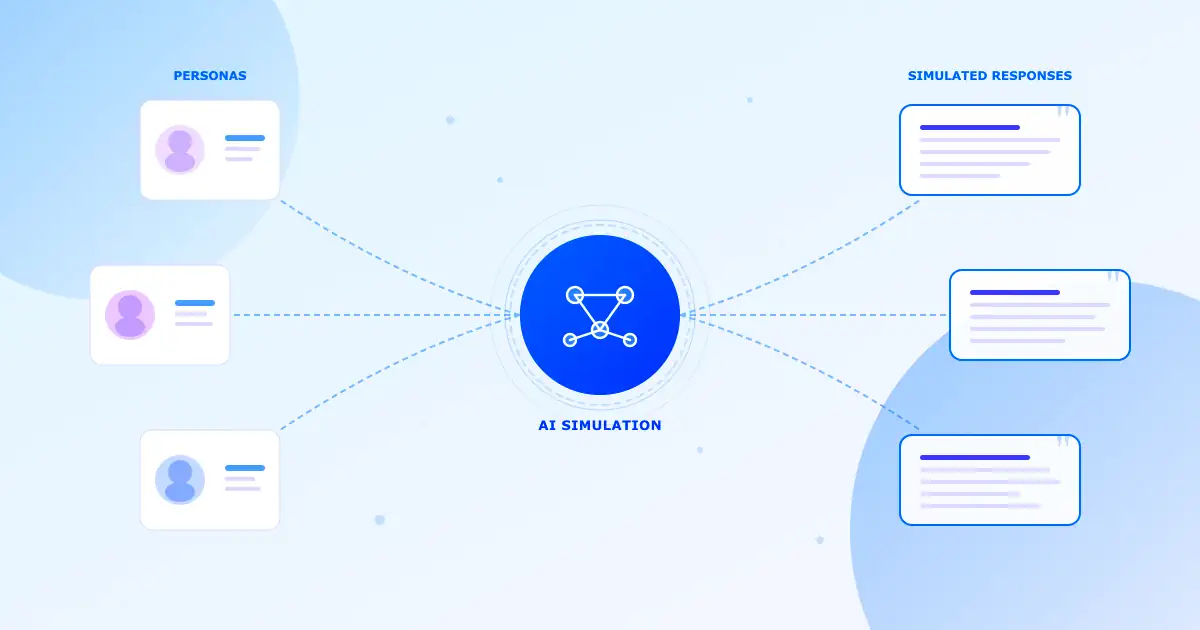
It’s a technique where you use AI to role-play as respondents. You give it a profile—say, a 35-year-old working mother who shops at Lidl and worries about food prices—and it generates responses that fit that profile. Ask about meal planning, and you’ll get answers that reflect her priorities, constraints, and way of talking about the topic.
You can do this with general AI assistants like Claude or ChatGPT by simply describing your persona and starting a conversation. Or you can use specialized research platforms—like Quallie.com—that have built simulation features into their workflow, making it easier to manage personas, run structured discussions, and analyze results across multiple simulated respondents.
How It Works
Modern AI models learn from vast amounts of text, including how different types of people discuss various topics. When you ask a simulated “budget-conscious parent” about grocery shopping, the AI draws on patterns it has learned about how such people typically think and talk. The result isn’t a transcript from a real person, but a realistic representation of views you’d likely hear from that segment.
The quality depends heavily on how well you describe the persona. A vague description gives vague answers. A detailed profile—with specific attitudes, past experiences, and decision-making habits—produces much richer responses.
Where You Can Do It
General AI Assistants
Tools like Claude, ChatGPT, or Gemini. You write a persona prompt, paste it in, and run the conversation manually. Simple to start, but you manage everything yourself.
Research Platforms
Some qual platforms include AI simulation features. They offer persona libraries, structured discussion flows, and analysis tools designed specifically for research workflows. You can try Quallie.com focus group simulation tool.
Custom Setups
Spreadsheet integrations, API workflows, or custom-built tools. More work to set up, but can be tailored to your exact needs and integrated with existing processes.
Key Components of FG Simulation Setup
I. Persona Definition: The description of your simulated respondent: demographics, attitudes, brand usage, lifestyle details, and anything else relevant to your research.
II. Discussion Structure: How you organize the conversation: warm-up questions, main topics, stimulus presentation, and wrap-up. Same flow as a real focus group.
III. Stimulus Materials: The concepts, ad copy, product descriptions, or images you want feedback on. Some tools handle these better than others.
IV. Response Capture: How you save and organize what the AI generates. Important for comparing responses across personas and tracking what you’ve learned.
Why Use AI Simulation?
The biggest benefit isn’t saving money—it’s running better research. Here’s what changes when you simulate first.
Walk Into Fieldwork Prepared
Most discussion guides have blind spots. Questions that seem clear to you confuse respondents. Topics you thought were minor turn out to be central. Concepts that felt strong fall flat.
Simulation lets you discover these problems before they cost you real fieldwork time. Run your guide past simulated respondents first. See where they stumble, what follow-ups they need, what topics spark the most discussion. Then refine your approach before the real sessions.
Know What Reactions to Expect
Walking into a focus group cold is risky. You might be blindsided by objections you hadn’t considered, or miss opportunities to probe interesting reactions because you weren’t ready for them.
Simulation gives you a preview. You’ll see the range of likely responses—the enthusiasm, the skepticism, the confusion. When similar reactions come up in real groups, you’ll be ready with the right follow-up questions.
Test More Concepts, More Quickly
Real fieldwork is expensive. You can’t afford to test every idea with live respondents. So you have to guess which concepts deserve the investment.
Simulation changes that math. Screen ten concepts in an afternoon, identify the three worth testing properly, and focus your real research budget where it matters. By the time you’re in front of actual consumers, you’ve already eliminated the obvious losers.
The cost difference: A typical focus group runs €5,000–15,000 once you add up facilities, incentives, recruiting, and moderation. AI simulation costs €20–50 for a comprehensive study. That’s not a reason to skip real research—it’s a reason to use simulation for exploration and save your budget for validation.
Explore Sensitive Topics Safely
Some topics are hard to discuss in real groups. Money problems, health worries, embarrassing habits—real people filter their answers because they’re worried about judgment.
Simulated respondents have no such concerns. They’ll discuss anything openly. That doesn’t make their answers “truer”—the social dynamics that make real people filter their responses are real data too. But simulation helps you understand the territory before you navigate it with actual humans.
Available Whenever You Need It
Need to test something Sunday night before Monday’s meeting? Want to quickly explore how 12 different segments might react? Simulation doesn’t require scheduling, recruiting, or hoping respondents show up. It’s always ready when you are.
When to Use It
AI simulation fits naturally into the research workflow. Here’s where it adds the most value.
Testing Your Discussion Guide
Before real fieldwork, run your questions through the simulator. Find confusing wording, missing topics, and flow problems. Walk into your focus groups with a guide that’s already been stress-tested.
Previewing Reactions to Concepts
See how different segments might respond to your ideas before showing them to real consumers. Discover objections, questions, and enthusiasm patterns you should be ready to probe.
Screening Concepts Before Real Testing
When you have ten ideas but budget to test three, use simulation to identify which ones deserve real fieldwork. Eliminate obvious losers before they waste research time.
Testing Messages and Headlines
Try different angles quickly. Test ten headlines or value propositions in a single session and see which ones connect. Narrow down to the strongest options before quantitative testing.
Understanding What Competitors’ Users Think
Create simulated users of competing products. Explore their satisfaction, frustrations, and what might make them switch. Use these insights to sharpen your positioning before testing it live.
Exploring Packaging and Design Direction
Describe design options and get feedback on what they communicate. Some tools can also process images directly. Use insights to refine options before consumer testing.
Mapping the Customer Journey
Walk through how different segments discover, evaluate, and buy products in your category. Identify hypotheses about friction points to validate in real research.
Training New Researchers
New moderators can practice their skills in a safe environment. Rehearse probing techniques, test different approaches, and build confidence before running real groups.
Generating Hypotheses to Test
When you’re not sure what questions to ask, run open-ended conversations with varied personas. Surface unexpected perspectives that you can then validate with real consumers.
Following Up on Completed Research
Finished a study and wish you’d asked more? Build personas based on your actual respondents and explore the questions you missed. Generate hypotheses for the next wave.
Best Practices
The quality of your results depends entirely on your setup. Here’s what works.
1. Build Detailed Personas
Don’t stop at “female, 35-44, middle income.” That’s too vague to produce useful responses. Include what she values, how she spends her time, her relationship with your category, specific brands she uses, and how she makes decisions.
The more you tell the AI about who this person is, the more realistic and useful the answers become.
2. Use Real Research as Your Starting Point
If you have transcripts from previous studies, use them. Let the language and concerns from actual respondents inform your persona descriptions. This grounds the simulation in reality rather than assumptions.
3. Follow a Natural Discussion Flow
Structure your simulated session like a real one: easy warm-up questions first, then deeper topics, then stimulus reaction, then summary. This helps the AI settle into the persona and builds context that shapes later answers.
4. Push for Specifics
AI tends toward vague, agreeable answers. Fight this by asking for concrete examples. “Tell me about a specific time when…” or “Walk me through exactly how you’d use this” gets you much richer material.
5. Include Skeptics and Rejectors
Don’t only simulate your ideal customers. Include people who’d never buy, who find your product irrelevant, or who’d choose competitors instead. Understanding rejection is as valuable as understanding appeal.
6. Mix Up Communication Styles
Real groups have talkers and quiet types, enthusiasts and cynics. Design your simulated respondents with this variety. Some should be chatty, others brief. Some positive, others skeptical.
7. Validate Important Findings with Real Research
Use simulation to generate ideas and screen concepts. Then confirm the important insights with actual consumers. Over time, you’ll learn where simulation is reliable for your specific applications and where it falls short.
8. Keep Records
Document your persona definitions, prompts, and settings. This makes your work reproducible and helps you improve your approach over time.
Prompts That Work
Your prompts make or break the simulation. Here are templates that consistently produce useful results.
Building a Persona
Go beyond demographics. Capture how this person thinks and talks:
You are Maria, a 42-year-old office manager living in a mid-sized city. You’re married with two teenagers and a household income around €55,000.
Daily life: You juggle work and family, often feeling stretched thin. Evenings are hectic with kids’ activities. You value efficiency and anything that saves time.
Shopping habits: You’re price-conscious but willing to pay more for quality on things that matter. You do most grocery shopping at discount supermarkets but occasionally treat yourself at specialty stores.
How you decide: You research online before big purchases, read reviews, and ask friends. You’re skeptical of advertising claims.
How you communicate: Direct and practical. You don’t have patience for vague answers. You’ll share honest opinions but aren’t one to complain loudly. Answer all questions as Maria would, staying consistent with this background.
Starting the Discussion
Warm up before jumping to your main topic:
Before we talk about [topic], tell me a bit about your typical week.
What does a regular day look like for you?
When someone mentions [category], what’s the first thing that comes to mind?
How would you describe your relationship with [brand/category]? Happy with it? Frustrated? Just going through the motions?
Digging Deeper
When you need more than surface-level answers:
Can you walk me through a specific time when that happened? What exactly did you do?
What was going through your head at that moment?
You mentioned [X]—why does that matter to you?
If a friend asked your advice on this, what would you tell them?
Testing Concepts
When showing new ideas or products:
I’m going to describe a new [product type]. Just notice your gut reaction as you hear it. [Describe concept] What’s your first impression?
On a scale of 1-10, how interested are you? And tell me why you picked that number.
What questions would you need answered before you’d try this?
Would this replace something you already use? What, and why?
Getting Honest Criticism
AI can be too positive. Invite pushback explicitly:
What’s the biggest problem you see with this?
Being completely honest—what would stop you from buying this?
Imagine you bought this and ended up disappointed. What went wrong?
What would your most skeptical friend say about this?
Comparing Options
When you need competitive perspective:
How does this compare to what you use now?
Between [Option A] and [Option B], which appeals more? Why?
What would [competitor] have to do to win you back?
Wrapping Up
Close with synthesis:
Looking back at everything we’ve discussed, what’s the one thing you’d want the company to understand?
If you had to sum up your feelings in one sentence, what would it be?
Anything important we didn’t cover?
Advanced Techniques
Simulating Group Dynamics
Instead of one-on-one conversations, simulate multiple respondents at once. Have them react to each other’s comments. One person’s opinion might shift another’s perspective—just like in real groups. This takes careful setup to keep the voices distinct, but it captures social influence effects.
Time-Lapse Scenarios
Simulate how someone’s experience changes over time. Start with their initial impression, then jump forward to one month of use, then three months. This helps you spot onboarding problems and long-term satisfaction risks before they happen.
Stress Testing
Put your simulated consumers in tough scenarios. What if your product has a quality issue? A competitor drops prices? The economy worsens? These “what-if” conversations reveal where your value proposition is fragile.
Feeding in Real Data
The best implementations use actual research to calibrate the simulation. If you’ve run real focus groups, feed those transcripts into the system. The AI learns actual consumer language and concerns, making future simulations more authentic.
What AI Simulation Can’t Do
Being honest about limitations helps you use this tool appropriately.
Why real research still matters
Simulated respondents aren’t real people. They don’t have actual experiences, genuine emotions, or the unpredictable creativity that real consumers bring. Simulation shows you what responses are plausible—it can’t tell you what’s actually true. That’s why it works best as preparation, not replacement.
Built-In Biases
AI models reflect the data they learned from. If certain viewpoints are over- or under-represented in that data, simulated responses will inherit those biases. This matters especially when simulating minority groups, emerging behaviors, or culturally specific perspectives.
Outdated Knowledge
AI models have a knowledge cutoff date. They may not know about recent products, trends, or events that would affect real consumer thinking. For fast-moving categories, this gap matters.
Missing Real Group Dynamics
Real focus groups are unpredictable. People interrupt each other, go on tangents, build on ideas in surprising ways. Even multi-respondent simulation can’t fully replicate that messy, creative energy.
Fake Emotions
When a simulated respondent says they’re excited or frustrated, they’re generating text that represents emotion—not experiencing it. The difference affects how much you can trust emotional insights.
Too Predictable
Real consumers surprise you. They have weird associations, unexpected use cases, and creative suggestions nobody anticipated. AI generates probable responses, which means it tends toward the expected. You may miss the outliers that spark breakthrough ideas.
Choosing Your Approach
There’s no single “right” tool for AI simulation. Your choice depends on how often you’ll use it and how much structure you need.
General AI Assistants (Claude, ChatGPT, etc.)
The simplest way to start. Open any AI chat interface, paste in a detailed persona prompt, and start asking questions. No setup required—you can run your first simulation in minutes.
Best for: Occasional use, quick explorations, testing whether simulation works for your needs.
Limitations: You manage everything manually. No built-in persona libraries, no automatic analysis, and you have to copy responses somewhere to keep them. Works fine for one-off sessions, but gets tedious for regular use.
Spreadsheet Workflows
For more structure, set up a spreadsheet with personas in rows and questions in columns. Use API integrations (Google Sheets with Apps Script, Excel with Power Automate) to fill cells with simulated responses automatically.
Best for: Regular use when you want to compare across segments systematically. Good balance of flexibility and organization.
Limitations: Requires some technical setup. Not ideal for long, flowing conversations—works better for structured Q&A across multiple personas.
Research Platforms with Built-In Simulation
Some online qualitative research tools now offer AI simulation as a feature. These platforms let you define personas, run structured discussions, import real respondent data to create simulated versions, and analyze results—all within a workflow designed for researchers.
Best for: Teams doing regular qualitative work who want simulation integrated with their existing research workflow. Especially useful when you want to use actual study data to ground your simulations.
Limitations: You’re working within someone else’s system. Less flexible than building your own, but much less work to maintain.
Custom-Built Tools
For heavy users, a dedicated internal tool can be worth the investment. You can design exactly the workflow you need: persona libraries, discussion templates, stimulus handling, response storage, and automated analysis tailored to how your team works.
Best for: Organizations running many simulations who want full control over the experience.
Limitations: Significant upfront development. Only makes sense if you’ll use it enough to justify the investment.
Doing This Responsibly
Be Transparent
When you present findings from simulation, say so clearly. Stakeholders should know they’re seeing AI-generated responses, not real consumer feedback. Passing off synthetic data as human research would be misleading and could lead to bad decisions.
Watch for Stereotypes
When building personas for groups you’re not part of, be careful about reinforcing stereotypes. AI models may amplify simplified representations from their training data. Review simulated responses critically—do they reflect real diversity of thought or just surface-level assumptions?
Keep Humans in the Loop
Don’t rely on simulation alone for important decisions. Use it for exploration and screening, then confirm what matters with real consumers. Especially when research outcomes affect vulnerable groups, direct human input is essential.
Where This Is Heading
The technology is improving fast. A few developments to watch:
Better handling of images and video. Soon you’ll be able to show actual packaging, ads, and product demos for feedback, not just describe them.
Real-time information. Systems that stay current with news and trends will produce more relevant simulations for fast-moving topics.
More authentic cultural modeling. As training data improves, simulations of global markets will become more reliable.
Validation standards. Researchers will develop frameworks for understanding when simulation predicts real behavior accurately and when it doesn’t.
Hybrid approaches. Workflows that combine AI simulation for exploration with real research for validation will become standard practice.
The Bottom Line
AI focus group simulation makes your real research better. Use it to test your discussion guide before fieldwork. Preview what reactions to expect. Screen concepts before investing in live testing. Explore sensitive topics before navigating them with real people.
Whether you use a simple chat interface, a spreadsheet workflow, or a specialized research platform, the value is the same: you walk into fieldwork more prepared. Simulated responses suggest what you might hear from consumers—they don’t tell you what you will hear. The real conversations still matter most.
The researchers who benefit most
Are those who use simulation to prepare, not to skip. They walk into focus groups with sharper questions, fewer blind spots, and a clearer sense of what to listen for. They treat AI as a way to make human research more effective—not a shortcut around it.
The goal hasn’t changed: understanding consumers well enough to serve them better. AI simulation helps you pursue that understanding more efficiently—exploring more possibilities, catching problems earlier, and making every hour of real fieldwork count.